
Check
The local check looks for one supported green color-cast pattern in visible pixels. It does not identify a named filter, app, edit history, authenticity, identity, or original image.
Checking visible pixels
Private photo color correction
Matcha Filter Remover reduces strong green casts. Start free in your browser, or choose AI for difficult photos.
Every Matcha Filter Remover result is an edit, not a recovered original. Compare before downloading.
Free browser fix · optional AI
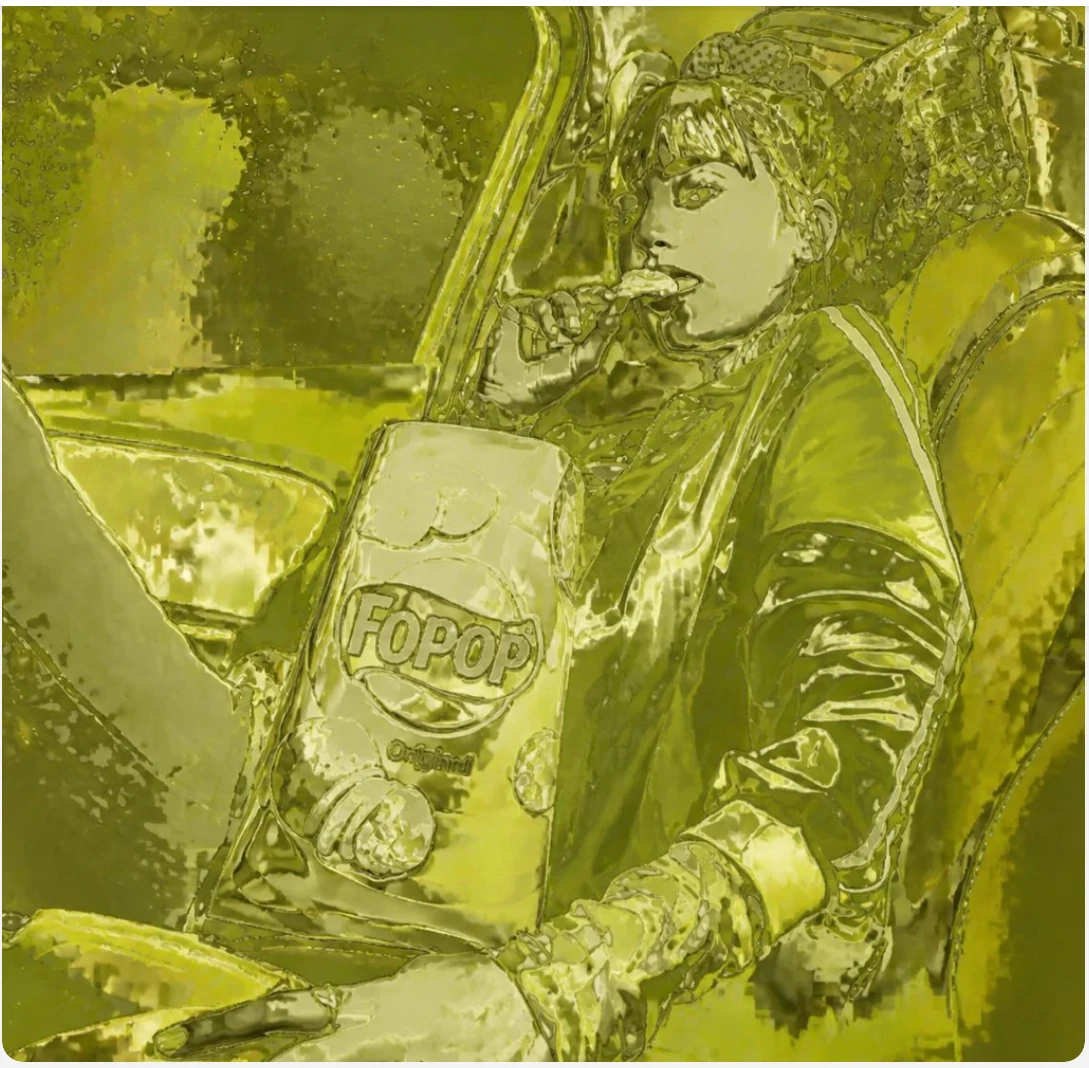
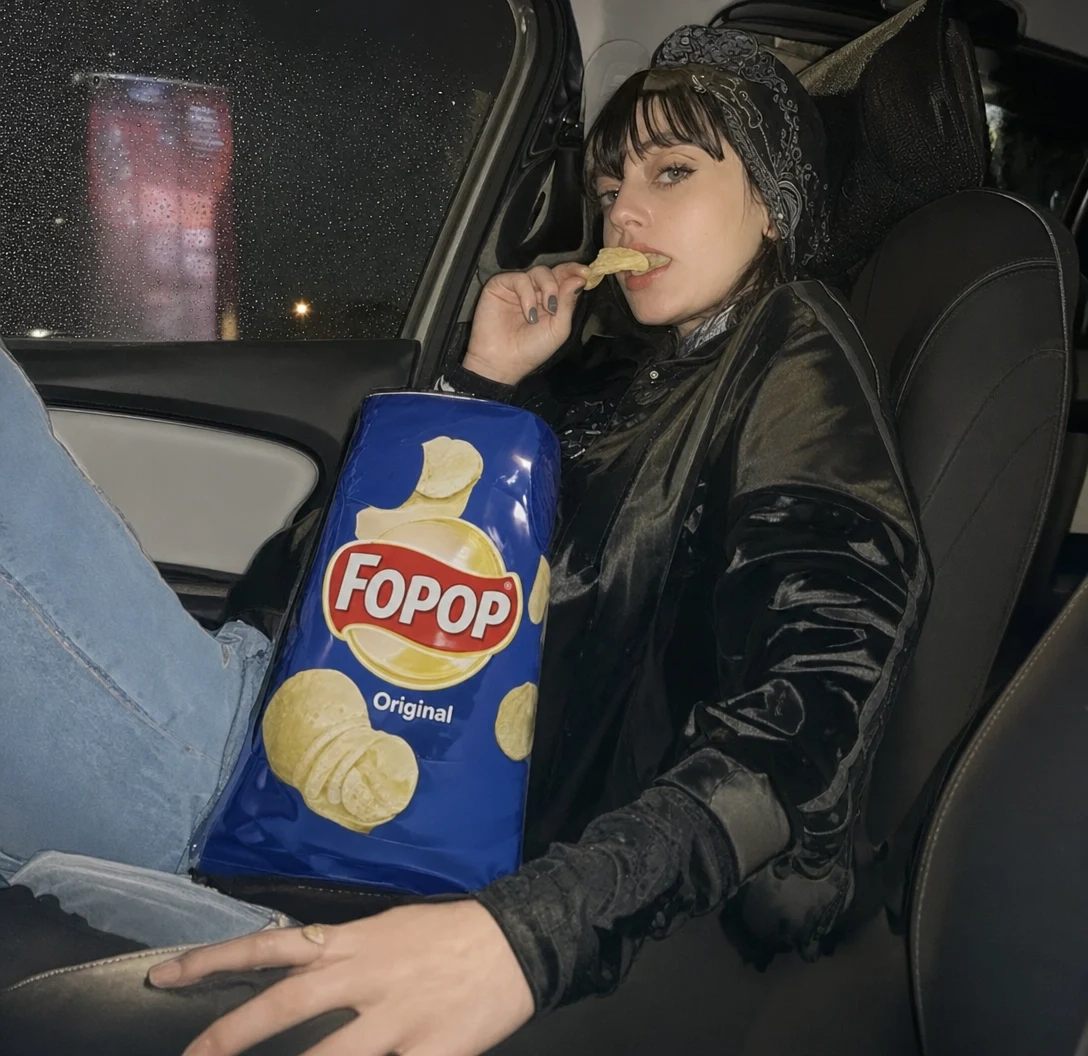
Check before correcting
Matcha Filter Remover checks the visible cast first, applies the selected correction, and keeps the before-and-after comparison in view.
The local check looks for one supported green color-cast pattern in visible pixels. It does not identify a named filter, app, edit history, authenticity, identity, or original image.
Checking visible pixels
Low and Medium run locally in your browser. High offers one daily signed-in AI trial, Nano Banana Pro by default, or GPT Image 2 High.
Review the selected photo beside the corrected result. Check the full image before downloading. The output is a correction of visible pixels, not an original or recovered photo.
Corrected result — not the original photo.
Matcha Filter Remover Low and Medium never upload the photo and require no login. Signed-in visitors may try one free AI edit each day while daily capacity is available. Paid credits remain available independently.
Real example comparison
This Matcha Filter Remover example shows the trade-off directly: Nano Banana Pro kept more of the original framing, while GPT Image 2 restored stronger color separation but changed more scene details. Example results vary from photo to photo.
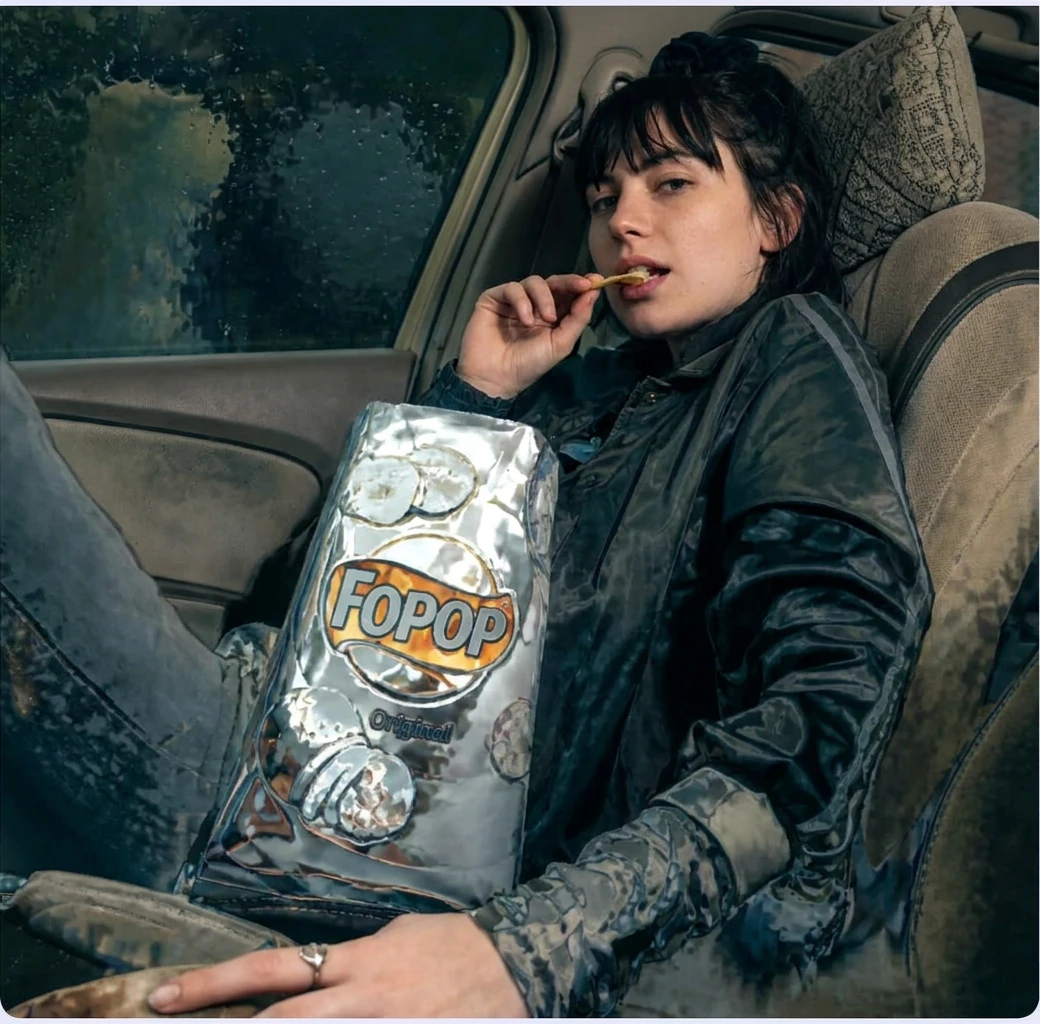
Both “after” images are newly generated AI-assisted edits, not recovered originals. Faces, hands, text, products, clothing, lighting, and background details may change. Always inspect the whole result before downloading or sharing.
Why one slider is not enough
Matcha Filter Remover balances relationships between colors instead of simply turning down green.
A strong yellow-green treatment can compress skin tones, shadows, clothing, and background colors into the same narrow range. Simply lowering green often creates gray skin and purple shadows.
The local check samples visible midtones and looks for a bounded cast pattern before offering correction.
AI-assisted correction is guided to preserve the existing crop, pose, face, objects, lighting direction, texture, and background.
If the filter replaced or hid information, no algorithm can reconstruct the exact original. AI can only generate a plausible edit.
Choose the lightest correction that works
Start with Matcha Filter Remover in your browser. Choose AI only when the visible cast is too strong for ordinary color correction.
00
Free · no sign-in
Private browser-based correction for mild and moderate casts. Your photo stays on your device.
Best first step01
Nano Banana · 1/day
A signed-in option for harder photos, subject to fair-use limits and daily availability.
Best free preview02
1 credit / result
The recommended paid option for balancing composition, recognizable subjects, and natural-looking color.
Recommended03
2 credits / result
An advanced option for difficult color separation. It can still change details, so comparison remains essential.
Advanced optionA short photo lifecycle
Matcha Filter Remover keeps local corrections on your device and limits retention for AI processing.
Read the Privacy Policy →Validation and correction run in the browser with no photo upload.
The normalized input is deleted after a successful result or expires within 60 minutes.
Successful AI results expire within 24 hours. Delete now removes access sooner.
Supported intent
Check whether one eligible photo matches the supported green color-cast pattern in visible pixels.
Low, Medium, and High are correction choices, not quality grades or guarantees.
Review the selected photo and corrected result side by side before use.
If no supported green cast is found or the image cannot be checked reliably, no corrected result is created.
Clear limits
The check and correction use visible pixels only. They do not recover hidden, covered, replaced, clipped, or missing information.
The service refuses face-reveal and hidden-content requests, images involving minors or age-uncertain face-focused use, non-consenting identifiable people, non-consensual intimate imagery, and harassment.
It categorically refuses sexualization, nudity, nudification, undressing, clothing removal, or simulated nudity or exposure, regardless of claimed consent, ownership, authorization, or adult status.
Privacy by design
Low and Medium stay in the browser. AI inputs and results use private storage and expire automatically on the schedule described in our Privacy Policy.
Matcha Filter Remover uses Plausible and Ahrefs for aggregate analytics. Google Analytics and Microsoft Clarity, including Clarity session replay, load only after you allow optional analytics. We do not use these services for advertising. AI-assisted High correction is available and secure checkout is available.
Need help? Email support@matchafilterremover.net. Describe the issue and include the reference shown on screen, if available. Do not email the original photo.
Free or one-time credits
Use Matcha Filter Remover free in your browser, then add AI credits only when a difficult photo needs more help.
$0no card required
Start with private, browser-based Matcha Filter Remover correction.
$4.996 AI credits
For stronger green casts that need AI-assisted Matcha Filter Remover processing.
The secure payment page shows the final total before you pay. Paid inputs and results receive automated safety checks. Service failures return reserved credits, while safety refusals do not.
Matcha Filter Remover is an independent service for whole-image color-cast correction. It does not offer face swaps, face reveal, identity reconstruction, or unrestricted image generation.
Helpful details and limits
Matcha Filter Remover checks visible pixels for one supported green color-cast pattern. It does not identify a named filter, app, edit history, authenticity, or an original version.
No. The correction adjusts visible pixels. It cannot restore hidden, covered, replaced, clipped, or missing information.
No corrected result is created. Choose another eligible photo.
It is designed for the strong yellow-green cast commonly described as a matcha filter. The tool checks visible pixels rather than identifying TikTok, a named effect, or the image’s edit history.
Start with free Low or Medium for mild color casts. Use High only when the filter has heavily altered tones; High offers a daily free AI option plus paid Nano Banana Pro and GPT Image 2 High tiers.
No model can guarantee that. The AI prompt is constrained to preserve identity, pose, framing, background, and objects, but generated details can still change. Always compare the complete result.
Low and Medium stay in your browser. High uses private server-side processing: normalized inputs are removed after success or within 60 minutes, and successful results expire within 24 hours unless you delete them sooner.
Upload one JPEG, PNG, or WebP image up to 10 MB, between 256 and 4096 pixels per edge, and no more than 16 megapixels.
Nano Banana Pro uses 1 credit and GPT Image 2 High uses 2. Credits are reserved when processing starts and automatically returned if processing ends without a result.
Permission, refusal, and support
Only if every identifiable person gave permission and the request is otherwise allowed. The acknowledgement is required, but it does not override the categorical refusal rules.
No. The service categorically refuses sexualization, nudification, undressing, clothing removal, or simulated nudity or exposure. Claimed consent, ownership, authorization, or adult status does not create an exception.
Choose another eligible photo or email support@matchafilterremover.net with a brief description and the reference shown on screen, if available. Do not send the original photo by email.
One eligible image
Choose an eligible photo for Matcha Filter Remover to check against the supported green color-cast pattern. If the check is positive, select a correction strength and compare the corrected result. If it is negative or unreliable, no result is created.
Choose a photoOne supported check. Three correction strengths. Clear visible-pixel limits.